
The December Acoustic Connect update introduces new ways to simplify execution and gain quicker visibility into performance.
Here’s what’s new in this release 👇
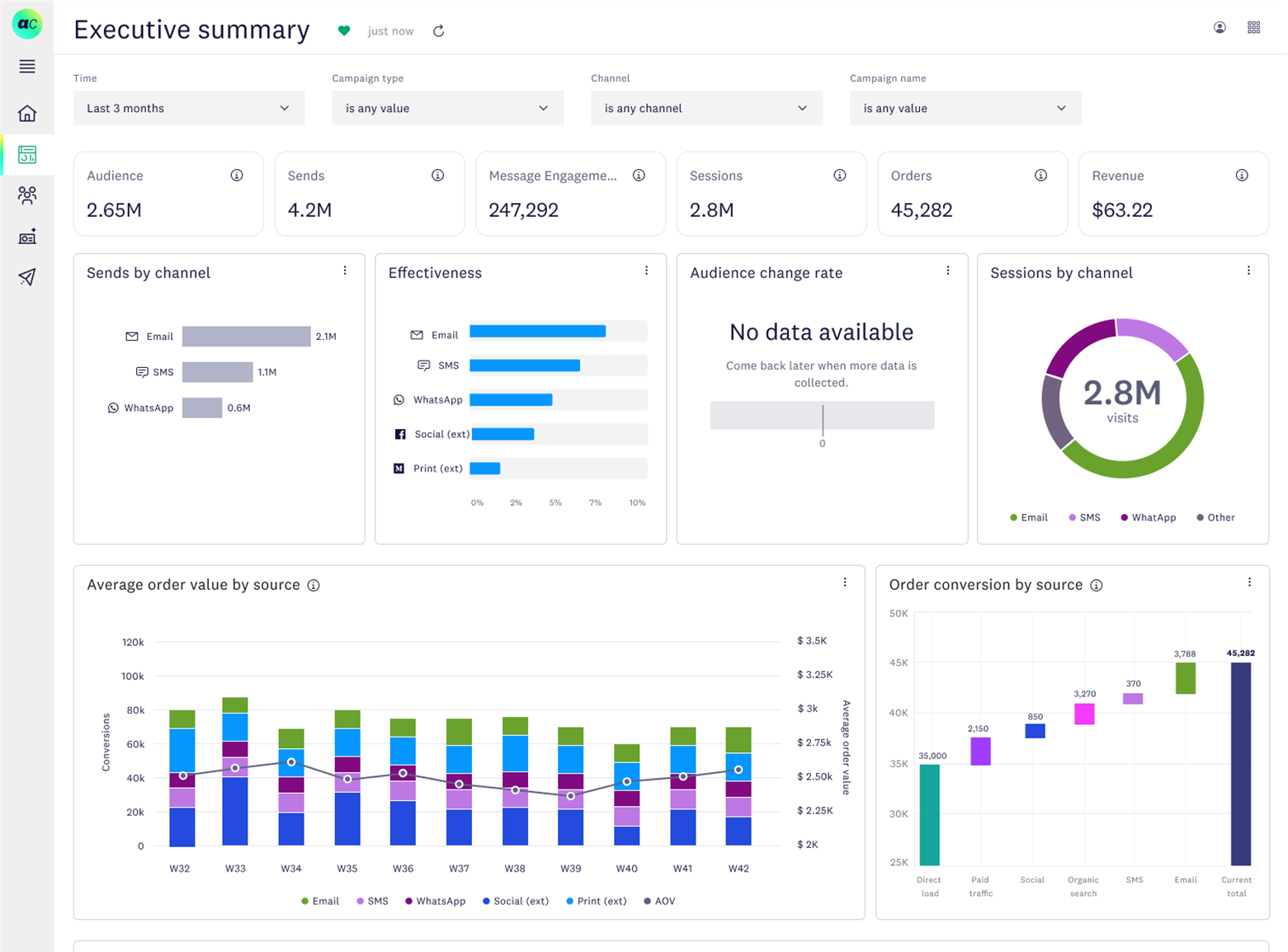
📊 Executive summary dashboard
Monitor performance across campaigns, channels, and audiences in a single, real-time view.
- Track key KPIs without relying on manual reports or exports
- Quickly understand which initiatives are delivering results
- Share clear performance snapshots with internal stakeholders
Where to access it:
Go to Insights → Executive Summary in the left navigation. Filter and analyze performance across time, campaigns, and channels to compare email, SMS, and WhatsApp effectiveness, track audience growth, and identify top segments using KPIs like engagement, conversions, and revenue. Learn more
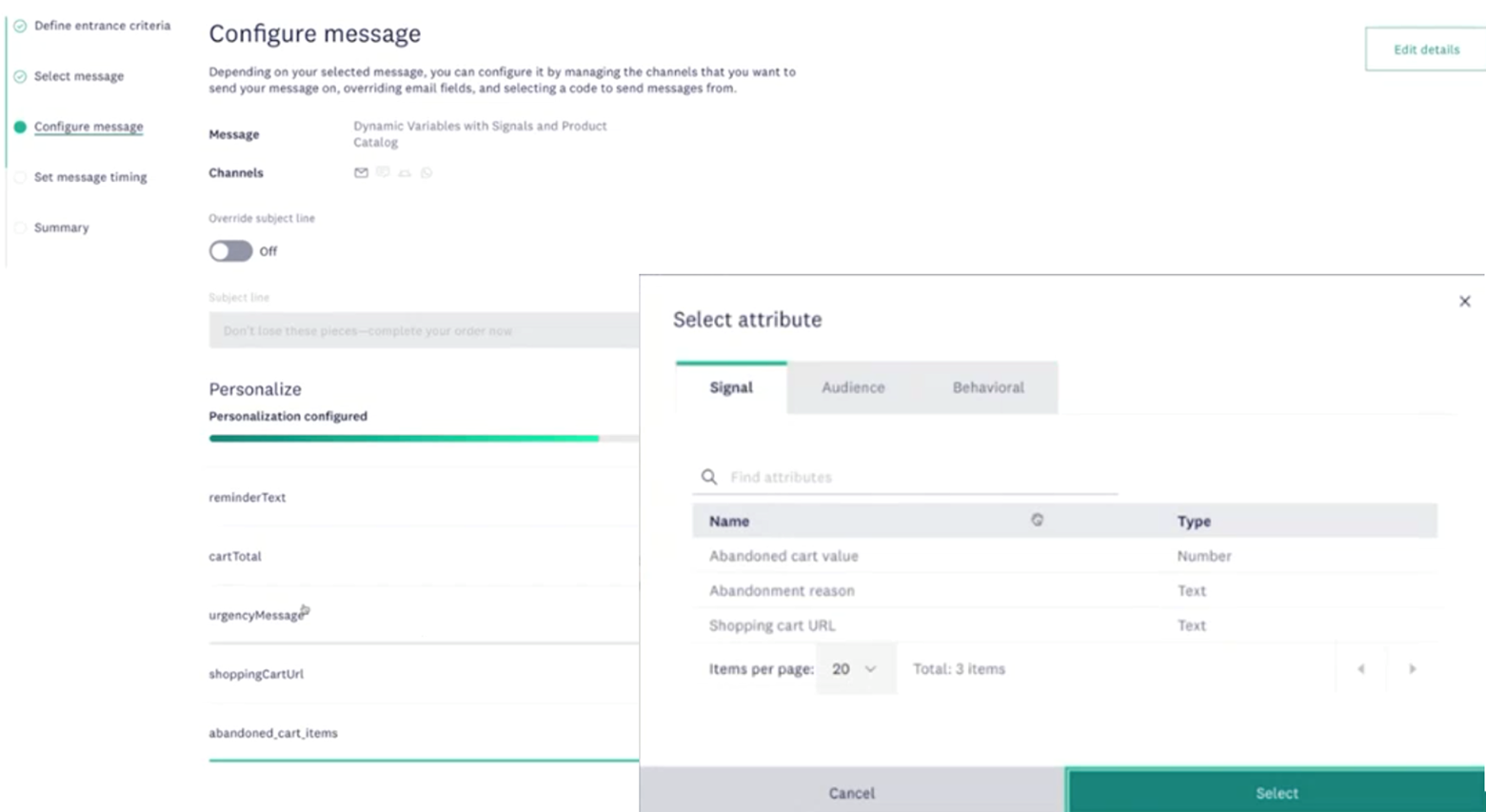
🔁Reusable personalization variables for omnichannel campaigns
Create consistent personalization at scale with less effort.
- Define variables once and apply them across multiple campaigns and channels
- Reduce repetitive setup while maintaining message consistency
- Support more cohesive journeys across touchpoints
How to use it:
Configure personalization variables consistently within Scheduled, Triggered, and Multi-step Campaigns, enabling more rapid, modular multi-purpose reuse of messages across campaign. Learn more
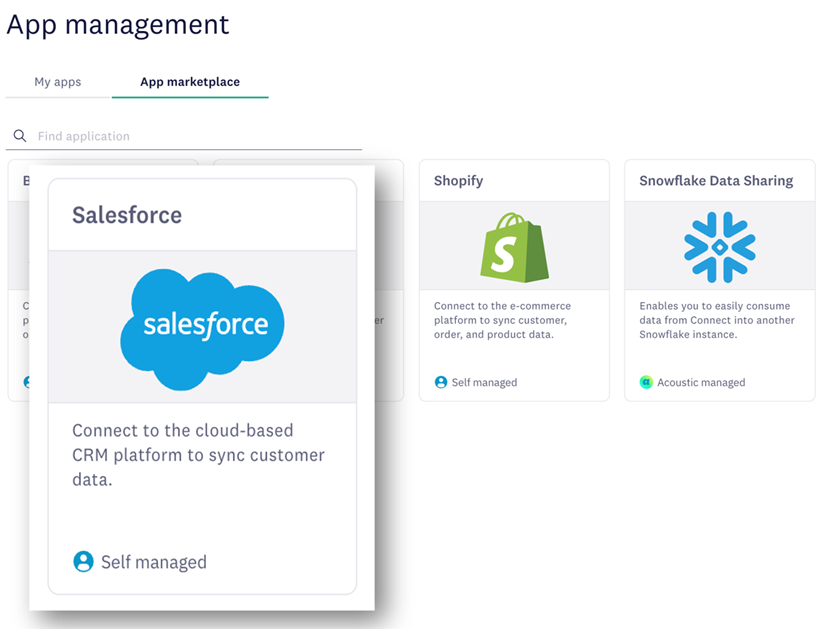
🔗Salesforce CRM integration with account-level attributes
Enable account-based segmentation and messaging with deeper CRM data.
- Bring Salesforce account objects directly into Acoustic Connect
- Segment audiences using firmographic details such as industry or company size
- Deliver messaging tailored at the account level
How to get started:
Set up the integration under Data management → App management, then apply account attributes when creating segments. Learn more
Together, these enhancements help teams spend less time navigating complexity and more time optimizing performance, so you can act on insights sooner and keep campaigns moving forward.
Please sign in to leave a comment.
Comments