
The May Acoustic Connect release is built around a single shift: less time measuring what your campaigns did, more time acting on what your customers are doing.
Here's what's new and how to use it:
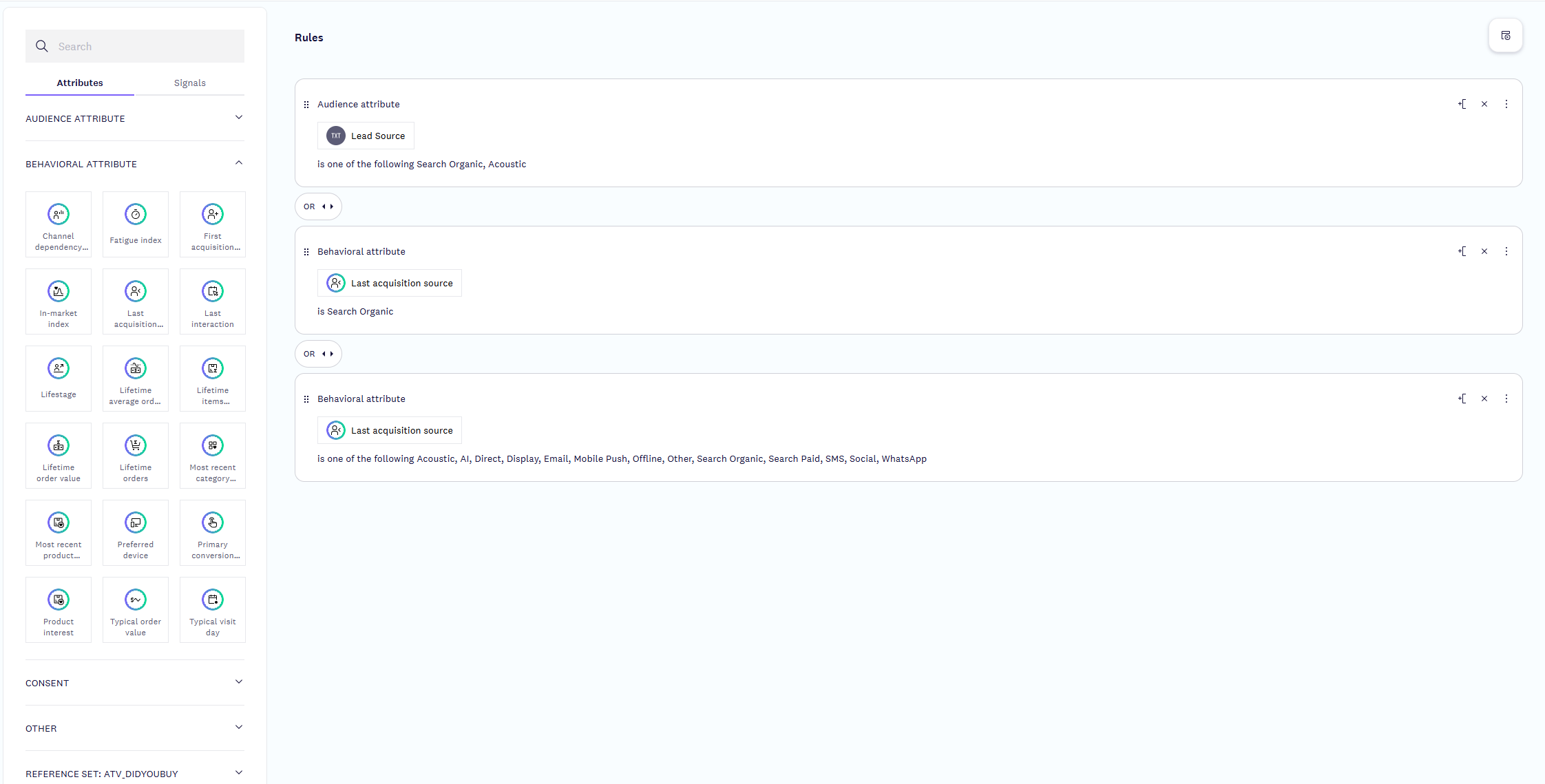
See the channel behind every customer
Contact-level attribution surfaces first and last acquisition source, primary conversion source, and a channel dependency score on every contact record — giving you a view into which channels actually deliver your best customers, and allowing you to segment, automate, and build campaigns based on real data rather than guesswork.
How to use it: Filter on any of the attributes in Segmentation and Audience to build segments and target campaigns with precision. Learn more
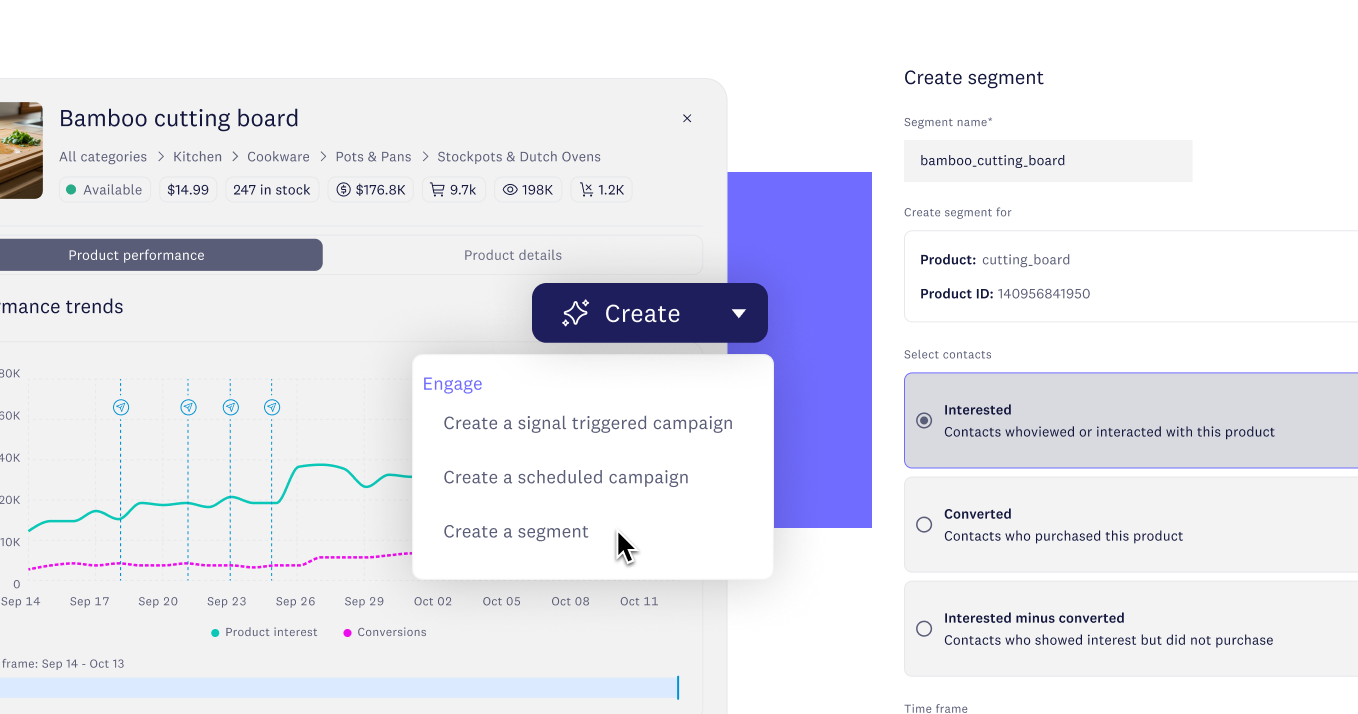
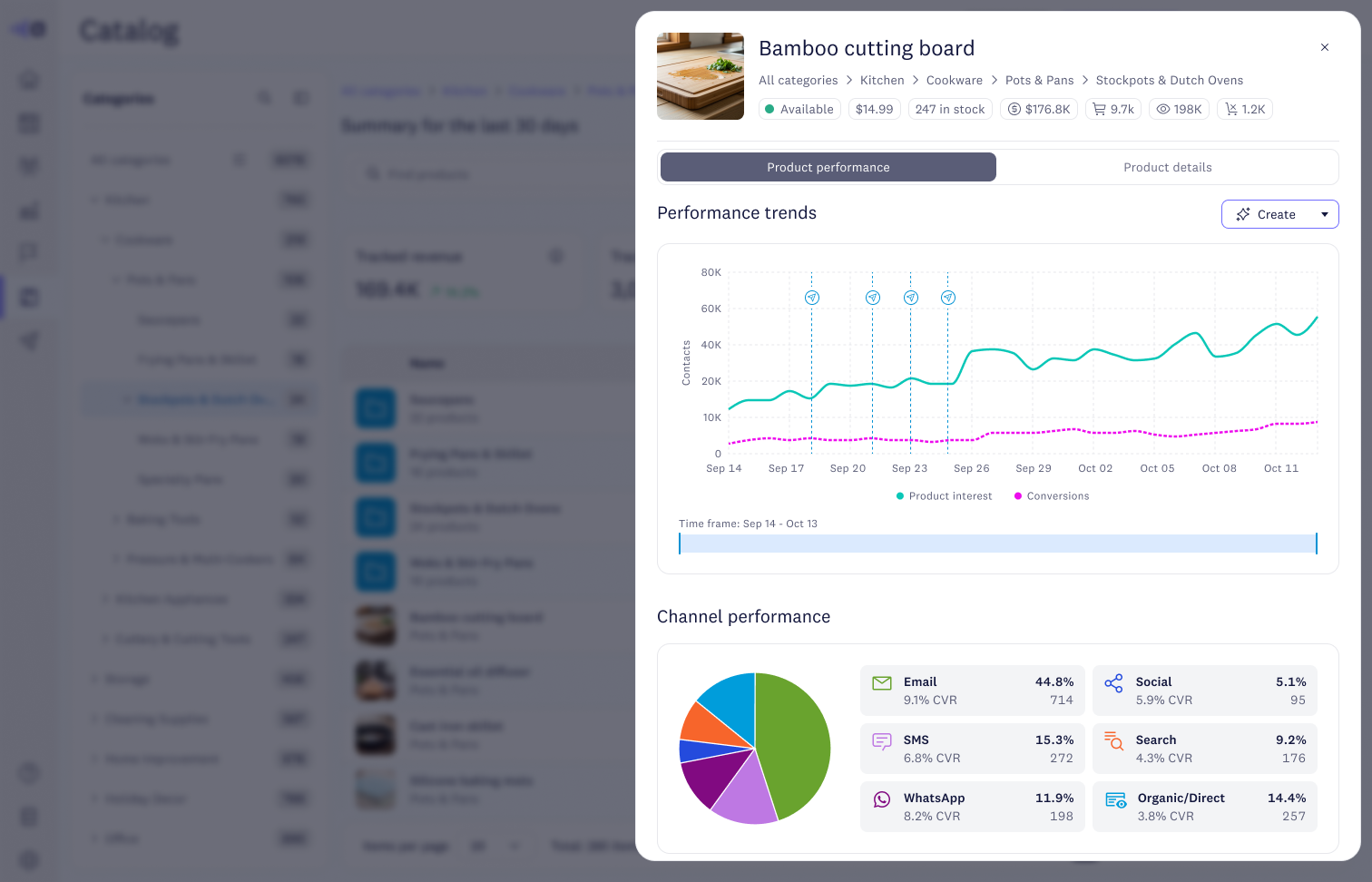
Spot product trends in real time
Product-level intelligence puts catalog data, behavior signals, and campaign performance into a single workspace with inline analytics and one-click segmentation, so the moment a product starts gaining traction your team can stand up a targeted audience and launch against it without leaving the screen.
How to use it: Navigate to Catalog, click a product (or open More options), and surface the product insights panel. Click "Create segment" to drop the trending product or category straight into a segment, then launch your campaign from there. Learn more
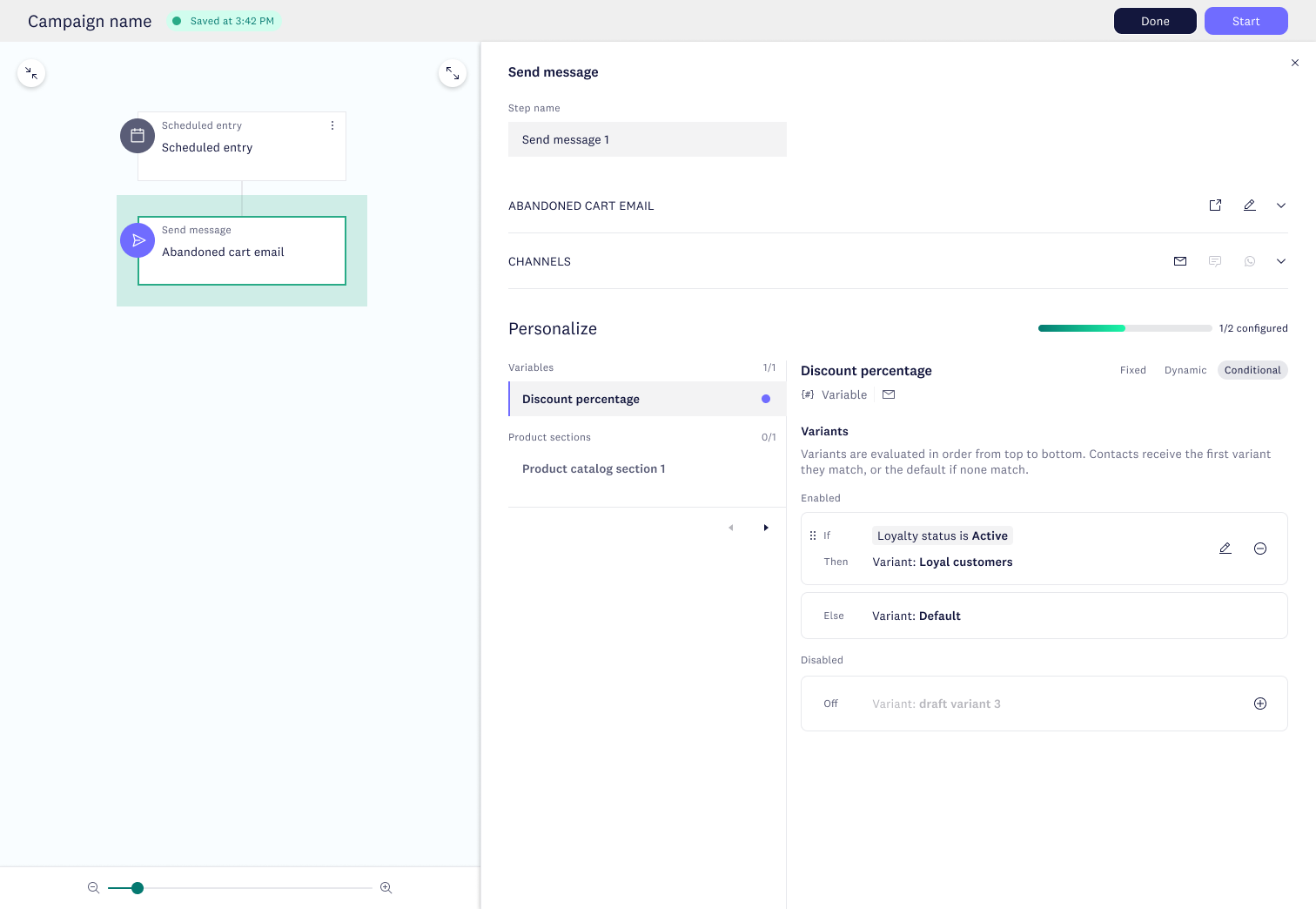
Personalize across every channel, from one journey
Conditional logic now sits at the orchestration layer instead of inside each template, so a single campaign personalizes across email, SMS, and WhatsApp from one set of rules — fewer template variants to manage, one unified analytics view, and one source of truth for the personalization logic.
How to use it: During message configuration, find the Personalize section, then select the Conditional tab, and Add rule. Define your personalization rules and they'll apply across email, SMS, and WhatsApp from the same campaign. Learn more
Automate your external tracking parameters
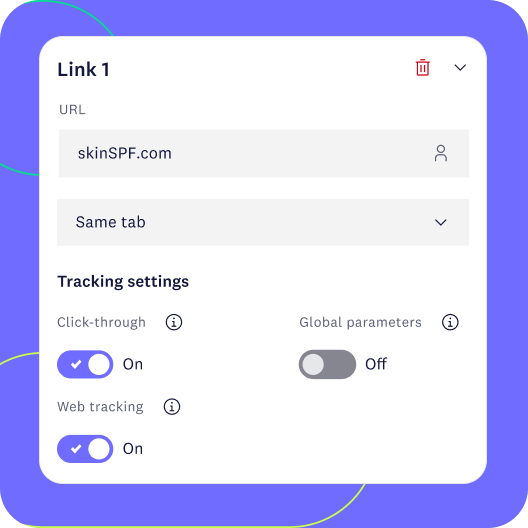
Tracking parameters like UTMs now append to hyperlinks automatically, removing the manual entry that quietly costs you attribution accuracy and adding a layer of campaign QA your team doesn't have to think about.
How to use it: Once your admin sets the parameter string, Acoustic Connect appends it automatically to all eligible links at send time for your email messages. View the links by clicking on link manager when composing your message. Learn more
Connect your Snowflake data for audiences
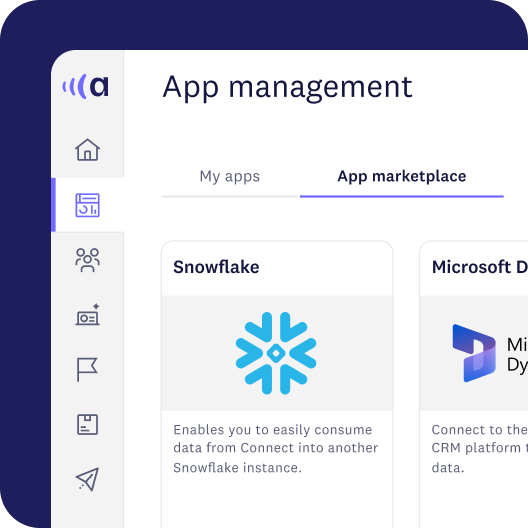
Native Snowflake integration moves audience and consent data between Connect and Snowflake data shares in both directions, removing the ETL middle layer your team's been paying for in time, tooling, and engineering lift.
How to use it: After configuring the Snowflake app from Integrations, map the data shares you want to bring in or push out. Learn more
Control when contacts re-enter your journeys
Re-entry rules now live inside the journey itself rather than in a separate exclusion segment, so the setting is visible to anyone reviewing the campaign flow and preserved automatically every time the campaign is duplicated.
How to use it: Open the multi-step campaign settings and choose your re-entry rule. Duration-based for scheduled campaigns, immediate or duration-based for triggered ones — to handle repeat engagement without redundant campaign builds. Learn more
For the full release walkthrough, check out the May release blog or the highlight video.
Please sign in to leave a comment.
Comments